A system administrator scales an image classification model training job from two GPUs to eight GPUs. However, the total training time remains nearly identical, and monitoring logs reveal that while the CPU cores are pinned near 100% utilization, the GPU utilization has dropped significantly. What is the most likely root cause of this scaling failure?
Select an answer to reveal the explanation.
Short Explanation and Infographic
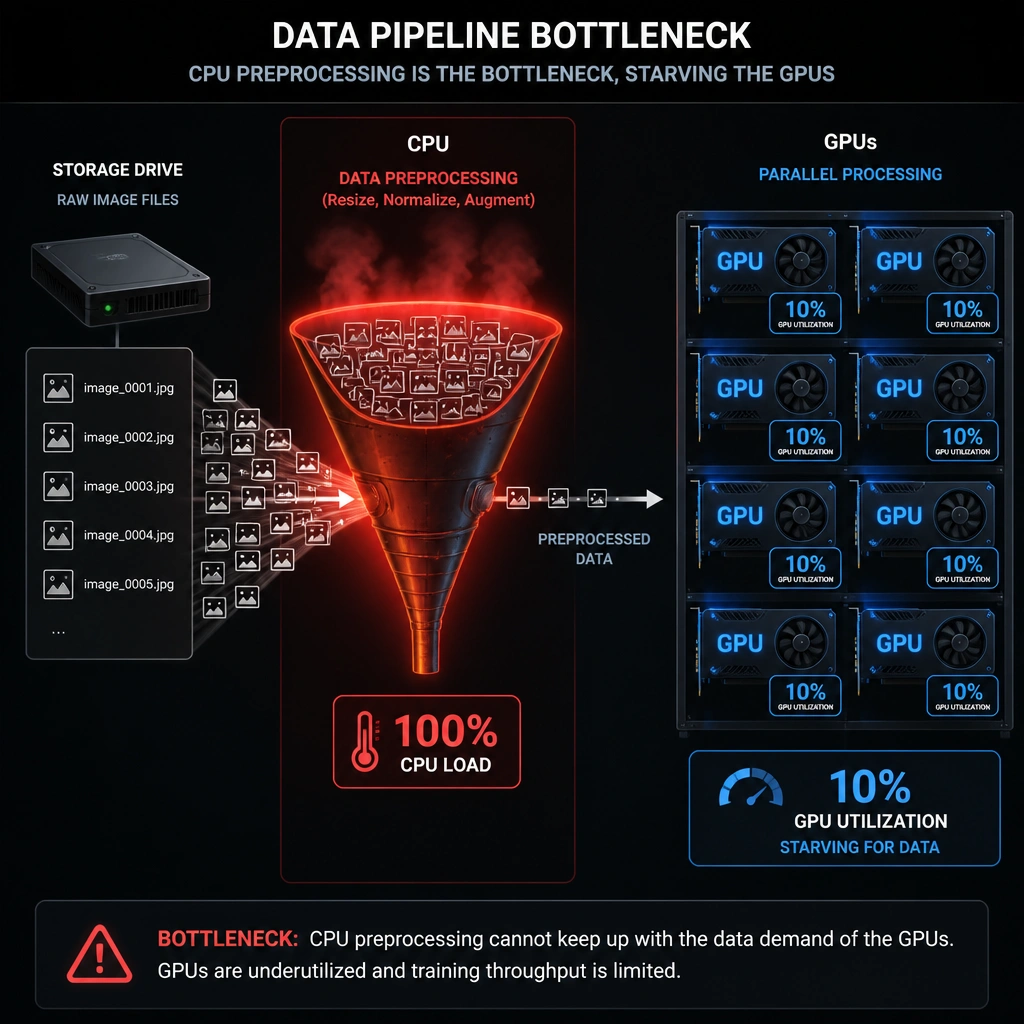
Pay close attention here, because this one bites people in production all the time! You add a bunch of shiny new GPUs to your cluster, expecting your training times to plummet, but instead, nothing changes. You look at your dashboard and see your GPUs are barely working, but your CPUs are absolutely maxed out. What gives? Here's the deal: before a GPU can perform its magic math on an image or text block, the CPU has to fetch that data from disk, decompress it, crop it, resize it, and load it into memory. If your CPU is struggling to keep up with that data prep pipeline, it can't feed the GPUs fast enough. Your expensive GPUs end up sitting idle, waiting for the next bite of data. This is a classic CPU bottleneck. To fix it, you need to optimize your data loading pipeline—like using pre-processed datasets, parallel data loaders, or offloading prep tasks directly to the GPU using tools like NVIDIA DALI. Got it? Sweet. Let's keep rolling.
Full explanation below image
Full Explanation
When scaling deep learning training across multiple GPUs, linear speedup is the goal. However, system performance is governed by Amdahl's Law, meaning the non-parallelizable portions of the workload will limit the speedup. If adding more GPUs results in low GPU utilization and maximum CPU utilization, the system is experiencing a data ingestion bottleneck, specifically caused by the CPU being unable to preprocess and transfer data fast enough to keep the GPUs fed (Option B).
During training, the host CPU is responsible for executing the data pipeline, which includes reading raw data from disk, decompressing files, and performing real-time data augmentation (such as rotations, crops, normalization, or tokenization). If these preprocessing steps are computationally expensive and executed sequentially or with insufficient CPU threads, the CPU becomes the system bottleneck. The GPUs finish executing their forward and backward passes quickly and then sit idle (exhibiting low utilization) while waiting for the CPU to deliver the next mini-batch. Adding more GPUs actually exacerbates this issue, as the demand for preprocessed data increases.
Let's examine why the other choices are less likely. If the framework lacked multi-GPU support (Option A), the job would typically fail to compile, run on only a single GPU while leaving others at 0% utilization, or output errors, rather than pinning the CPU at 100%. Missing NVLink connectors (Option C) would degrade inter-GPU communication speeds (causing high latency during gradient synchronization), but would typically result in high GPU wait times without pinning the host CPU at 100% utilization for data preparation. A mismatched driver (Option D) would result in execution failures and runtime driver errors during initialization, preventing the job from running at all.