When you build a Docker image to deploy a machine learning model as a web service, what components are packaged inside that image?
Select an answer to reveal the explanation.
Short Explanation and Infographic
Think of a Docker image like a complete pre-packaged meal. You don't just get the recipe (the code) or the raw ingredients (the dependencies) separately—you get everything cooked and ready to serve! For an ML model, that means the image contains the model's brain (the model weights file), the application code to run it (like a FastAPI web server), and all the specific libraries it needs to execute. When you spin up that container, it's ready to handle requests immediately. If you only packaged the code, it would fail the second it tried to import a library that wasn't installed on the host. We pack the whole package. Nice and clean!
Full explanation below image
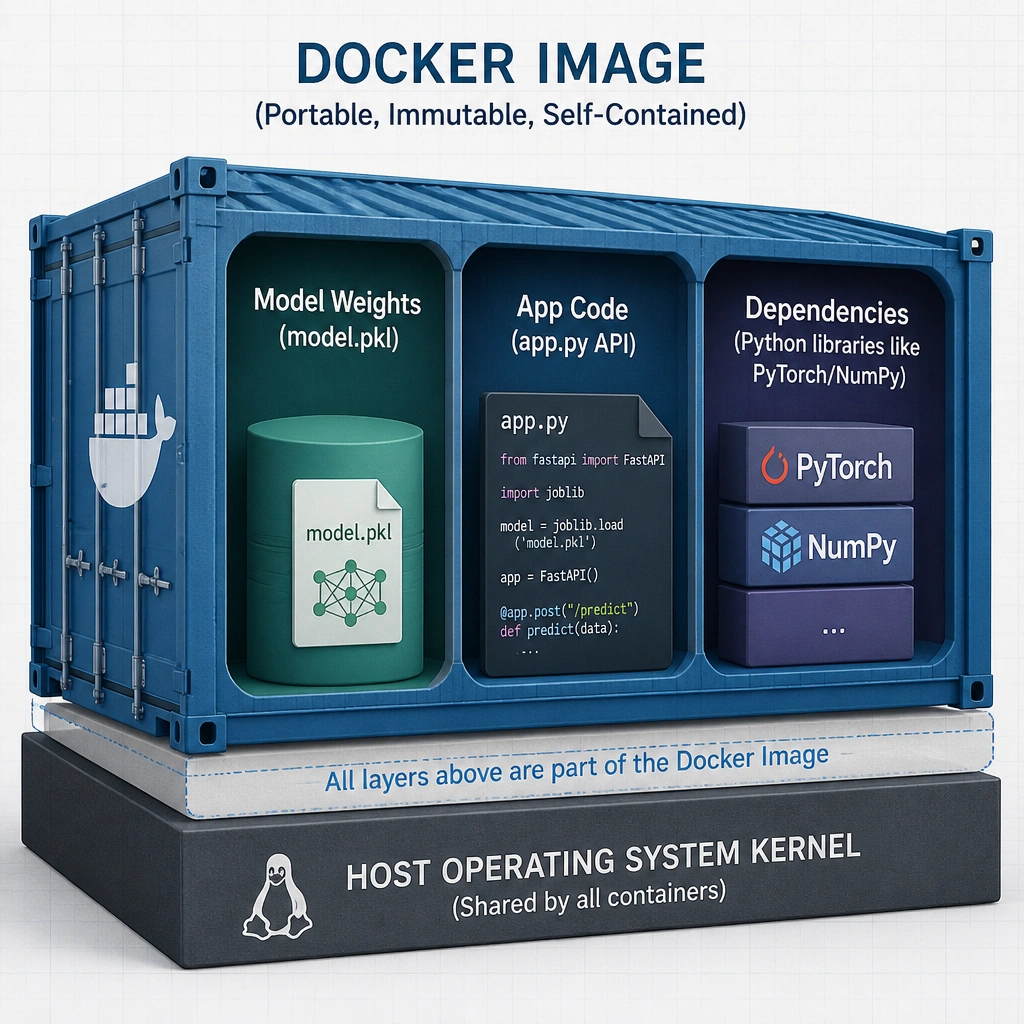
Full Explanation
A Docker image is a read-only template that contains a set of instructions for creating a container that can run on the Docker platform. In the context of deploying machine learning models, a Docker image serves as a self-contained unit containing every resource required for the model to execute and serve predictions.
This bundle typically includes: 1. The Model Artifact: The trained and serialized weights of the model (e.g., a .pkl, .h5, .onnx, or .pt file). 2. The Application Code: The code responsible for loading the model, preprocessing incoming request data, running inference, and formatting the output (usually wrapped in a web framework like FastAPI, Flask, or gRPC). 3. The Software Dependencies: A specified set of libraries (e.g., scikit-learn, TensorFlow, NumPy) often defined via a requirements.txt or environment.yml file, installed during the image build process. 4. The Runtime Environment: A minimal operating system filesystem (base image) and runtime (such as Python) configured with the correct paths and environment variables.
By encapsulating all of these components, the Docker image ensures that the model can be instantiated as a running container instantly on any host system that has the Docker engine installed, eliminating any configuration mismatch.
Let's examine why the distractors are incorrect: - Option A is incorrect because packaging only the Python code would result in runtime failures when dependencies are missing or mismatch on the host machine. - Option B is incorrect because UI templates are only a tiny part of front-end presentation and do not contain the backend model or its runtime logic. - Option D is incorrect because a Docker image contains application-level software and dependencies layered on a minimal filesystem; it does not contain a full operating system kernel, as containers share the host machine's kernel.